 OKRunit
Webhooks & Callbacks
When an approver makes a decision, OKRunit delivers the result to your callback URL via an HTTP POST request. This lets your automation continue or abort without polling.
Using a no-code platform?
If you connected OKRunit via Zapier, Make, n8n, or another platform integration, webhooks are handled automatically — the platform receives the decision and passes it to the next step. You don't need to set up webhooks manually. See Integrations →
How callbacks work
Callbacks are for developers who call the API directly and want to receive decisions at a URL they control.
- 1You provide a
callback_urlwhen creating an approval request via the API. - 2When a decision is made (approved, rejected, or cancelled), OKRunit POSTs the decision payload to your URL.
- 3Your endpoint should respond with a 2xx status code within 10 seconds to acknowledge receipt.
- 4If delivery fails, OKRunit retries up to 3 times with exponential backoff.
How to set up a callback
Include a callback_url when creating your approval request:
curl -X POST https://okrunit.com/api/v1/approvals \
  -H "Authorization: Bearer gk_your_api_key" \
  -H "Content-Type: application/json" \
  -d '{
    "title": "Delete user account #4821",
    "description": "Permanent deletion requested via support ticket",
    "priority": "high",
    "callback_url": "https://your-app.com/webhooks/okrunit",
    "callback_headers": {
      "X-Custom-Token": "your-secret-for-extra-verification"
    }
  }'
The optional callback_headers field lets you include custom headers in the callback POST (e.g. an extra auth token).
Callback payload
The callback is an HTTP POST with a JSON body containing the full approval request state at the time of the decision:
POST https://your-app.com/webhooks/okrunit
Content-Type: application/json
X-OKRunit-Signature: sha256=a1b2c3d4e5f6...

{
  "event": "approval.decided",
  "request_id": "a1b2c3d4-e5f6-7890-abcd-ef1234567890",
  "status": "approved",
  "title": "Delete user account #4821",
  "priority": "high",
  "action_type": "user.delete",
  "decided_at": "2026-03-24T11:30:00.000Z",
  "decided_by": {
    "id": "user-uuid",
    "email": "approver@example.com",
    "name": "Jane Smith"
  },
  "comment": "Verified with the user. Proceeding.",
  "metadata": {
    "user_id": "4821",
    "ticket_id": "SUP-1234"
  }
}
Payload fields
event — Always "approval.decided"request_id — The approval request IDstatus — "approved", "rejected", or "cancelled"decided_by — The user who made the decision (id, email, name)comment — Optional comment from the approvermetadata — The metadata you passed when creating the request (unchanged)Verifying signatures (HMAC-SHA256)
Every callback includes an X-OKRunit-Signature header. Always verify this signature to ensure the request came from OKRunit and was not tampered with.
How it works
- 1. OKRunit computes an HMAC-SHA256 of the raw request body using your connection's webhook secret as the key.
- 2. The hex-encoded digest is sent in the
X-OKRunit-Signatureheader with asha256=prefix. - 3. On your end, compute the same HMAC and compare using a constant-time comparison function.
Node.js / TypeScript
import { createHmac, timingSafeEqual } from "crypto";

function verifySignature(body: string, signature: string, secret: string): boolean {
  const expected = "sha256=" + createHmac("sha256", secret)
    .update(body)
    .digest("hex");

  if (expected.length !== signature.length) return false;

  return timingSafeEqual(
    Buffer.from(expected),
    Buffer.from(signature)
  );
}

// In your webhook handler:
const rawBody = await request.text();
const signature = request.headers.get("X-OKRunit-Signature") ?? "";
const secret = process.env.OKRUNIT_WEBHOOK_SECRET!;

if (!verifySignature(rawBody, signature, secret)) {
  return new Response("Invalid signature", { status: 401 });
}

const payload = JSON.parse(rawBody);

// Now handle the decision:
if (payload.status === "approved") {
  // Continue with the action
  await performAction(payload.metadata);
} else {
  // Abort — request was rejected or cancelled
  await cancelAction(payload.metadata);
}
Python
import hmac
import hashlib
import json
import os

def verify_signature(body: bytes, signature: str, secret: str) -> bool:
    expected = "sha256=" + hmac.new(
        secret.encode(),
        body,
        hashlib.sha256
    ).hexdigest()
    return hmac.compare_digest(expected, signature)

# In your webhook handler:
raw_body = request.body
signature = request.headers.get("X-OKRunit-Signature", "")
secret = os.environ["OKRUNIT_WEBHOOK_SECRET"]

if not verify_signature(raw_body, signature, secret):
    return Response("Invalid signature", status=401)

payload = json.loads(raw_body)

# Handle the decision:
if payload["status"] == "approved":
    perform_action(payload["metadata"])
else:
    cancel_action(payload["metadata"])
Retry logic
If your endpoint does not respond with a 2xx status code within the timeout window, OKRunit retries the delivery with exponential backoff:
| Attempt | Delay | Notes |
|---|---|---|
| 1st (initial) | Immediate | Sent as soon as the decision is made |
| 2nd (retry 1) | ~1 second | After first failure |
| 3rd (retry 2) | ~2 seconds | After second failure |
| 4th (retry 3) | ~4 seconds | Final attempt |
After all retry attempts are exhausted, the delivery is marked as failed. You can view delivery status and retry manually from the dashboard or via the API.
Timeout
Each delivery attempt has a 10 second timeout. If your server does not respond within this window, the attempt is considered failed. Design your webhook handler to acknowledge quickly (return 200) and process the payload asynchronously if needed.
Checking delivery logs
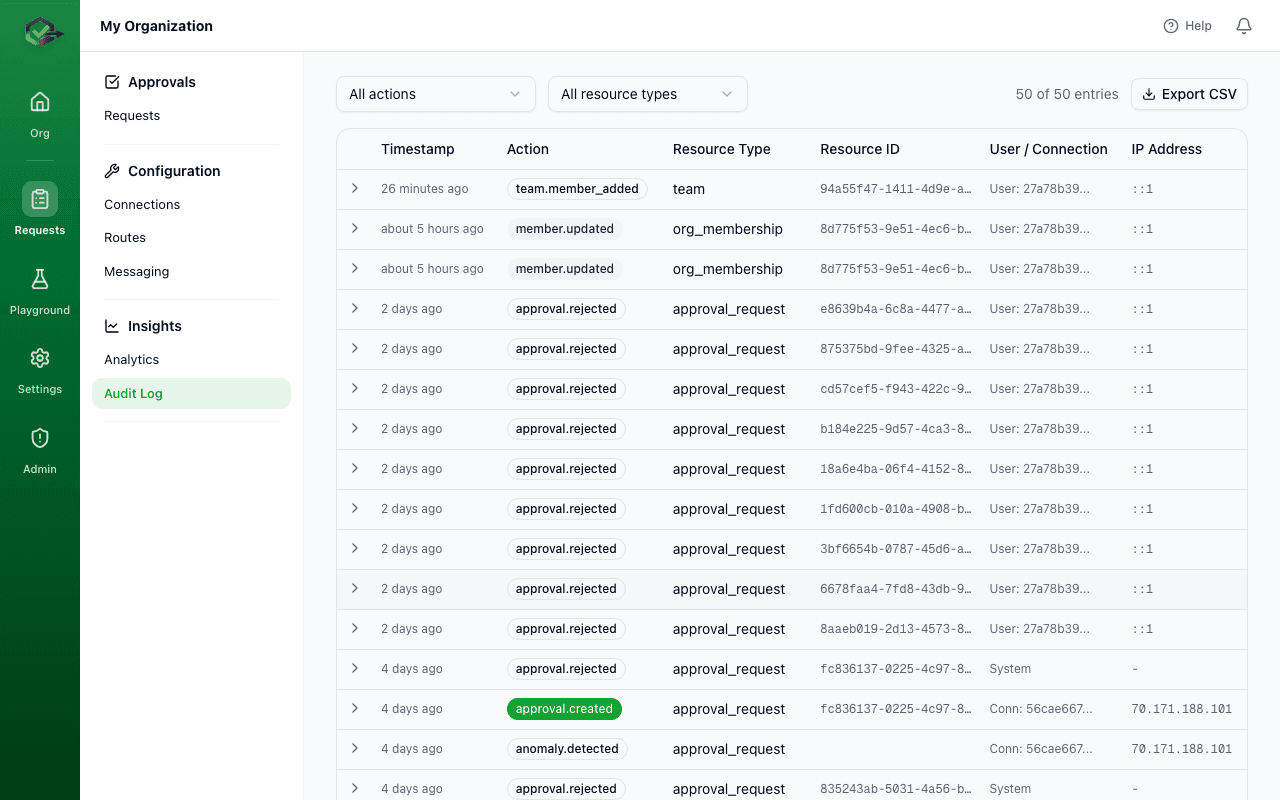
Every callback delivery attempt is logged with the HTTP status code, response body (truncated), and timing information. You can check delivery status in the dashboard or query the logs via the API:
GET /api/v1/webhooks?request_id=a1b2c3d4-...&limit=10

// Response
{
  "data": [
    {
      "id": "log-uuid",
      "request_id": "a1b2c3d4-...",
      "url": "https://your-app.com/webhooks/okrunit",
      "status_code": 200,
      "attempt": 1,
      "success": true,
      "duration_ms": 142,
      "created_at": "2026-03-24T11:30:01.000Z"
    }
  ]
}
Testing webhooks
During development, you can test webhook delivery in several ways:
Option 1: Use the test endpoint
The OKRunit API includes a test webhook endpoint that sends a sample payload to any URL:
curl -X POST https://okrunit.com/api/v1/test-webhook \
  -H "Authorization: Bearer gk_your_api_key" \
  -H "Content-Type: application/json" \
  -d '{ "url": "https://your-app.com/webhooks/okrunit" }'
Option 2: Use a local tunnel
Expose your local server to the internet using ngrok, localtunnel, or cloudflared and use the tunnel URL as your callback:
# Start a tunnel to your local server
ngrok http 3000

# Use the tunnel URL as your callback_url
# https://abc123.ngrok.io/webhooks/okrunit
Option 3: Use a request catcher
Services like webhook.site or requestbin.com let you inspect the raw callback payload without writing any code.
Best practices
- Always verify signatures. Do not process webhook payloads without validating the HMAC signature first.
- Respond quickly. Return a 200 immediately and process the payload asynchronously. Do not block the response on downstream work.
- Handle duplicates. In rare cases (e.g. network issues), you may receive the same callback more than once. Use the
request_idto deduplicate. - Use HTTPS. Callback URLs must use HTTPS in production to protect the payload in transit.
- Log everything. Store the raw payload and signature for debugging. OKRunit also keeps delivery logs on its side.