 OKRunit
Integrations
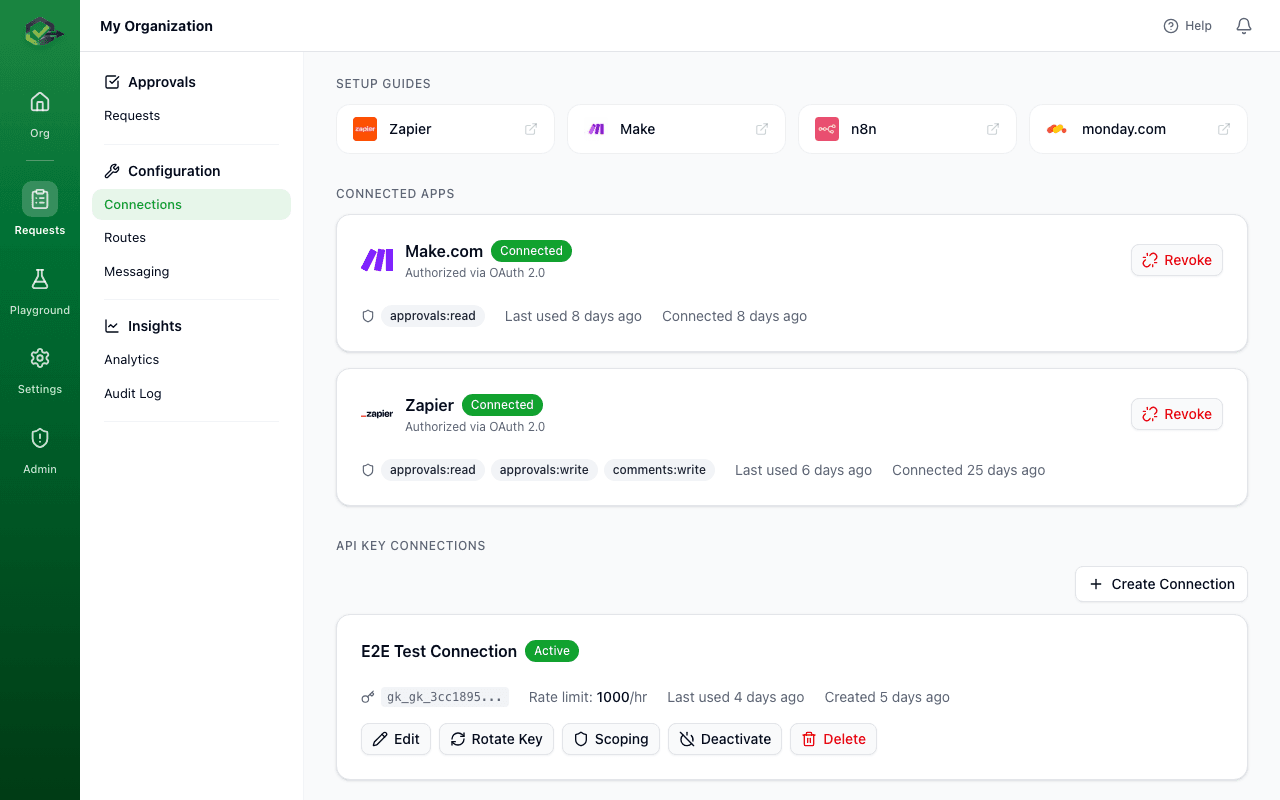
OKRunit connects to 19 platforms across automation, AI agents, infrastructure, and workflow engines. The easiest way to connect is to select the OKRunit node directly inside your automation platform — no code required.
How to connect (the easy way)
For every supported platform, the process is the same:
- 1.Open your automation platform (Zapier, Make, n8n, monday.com, GitHub Actions, Temporal, etc.)
- 2.Add a new step and search for "OKRunit"
- 3.Select the OKRunit node/module and connect your account when prompted
- 4.Fill in the request details (title, description, priority) and you're done
Your workflow will pause at the OKRunit step until a human approves or rejects. The decision is automatically passed to the next step.
Platform-specific setup
Zapier
OKRunit is available as a native Zapier app. Here's how to add it to any Zap:
- 1In the Zap editor, click + to add a new step.
- 2Search for "OKRunit" in the app search.
- 3Select the Create Approval Request action.
- 4Click Sign in to OKRunit — this opens the OAuth flow. Sign in with your OKRunit credentials and authorize access.
- 5Map your trigger data to the approval fields (title, description, priority).
- 6Test the step — you should see a new pending request appear in your OKRunit dashboard.
Zapier also supports triggers for Approval Decided and Approval Created, so you can build Zaps that react to decisions.
Make (Integromat)
OKRunit has a custom Make app with modules for creating and managing approval requests:
- 1In your Make scenario, click + to add a module.
- 2Search for "OKRunit".
- 3Choose a module: Create an Approval, Watch Approvals, or Search Approvals.
- 4Click Add next to the Connection field and authorize your OKRunit account.
- 5Configure the fields and run the scenario.
n8n
OKRunit provides a community node for n8n:
- 1In your n8n workflow, click + and search for "OKRunit".
- 2Add the OKRunit node (trigger or action).
- 3Create credentials by entering your OKRunit API key (from the Connections page in the dashboard).
- 4Configure the node and execute.
GitHub Actions
Add a human approval gate to any GitHub Actions workflow:
- name: Request deployment approval
  uses: okrunit/approve-action@v1
  with:
    api-key: ${{ secrets.OKRUNIT_API_KEY }}
    title: "Deploy ${{ github.sha }} to production"
    description: "Triggered by ${{ github.actor }}"
    priority: high
    # The action waits until the request is approved or rejected
    # If rejected, the step fails and the workflow stops
All integrations
Below is the full list of 19 supported platforms, grouped by category.
Automation Platforms
Add human approval gates to your no-code and low-code automation workflows.
Zapier
AvailableNative Zapier app with triggers for new approvals and actions for creating/managing requests. Use it in any Zap to pause execution until a human approves.
Make (Integromat)
AvailableCustom Make app with modules for creating approvals, watching for decisions, and searching existing requests.
n8n
AvailableCommunity node for n8n that provides trigger and action nodes for approval workflows within your self-hosted or cloud n8n instance.
monday.com
AvailableNative monday.com app with triggers and actions for adding human approval gates to your monday.com automations and workflows.
AI Agents
Gate destructive actions from AI agents with human oversight before execution.
LangChain
Coming soonPython and TypeScript tools that integrate with LangChain agents. The agent pauses and waits for human approval before executing sensitive tool calls.
CrewAI
Coming soonCustom tool for CrewAI agents that requires human approval before proceeding with high-stakes actions in multi-agent workflows.
AutoGen
Coming soonIntegration for Microsoft AutoGen that adds human-in-the-loop approval to multi-agent conversations and task execution.
Infrastructure & DevOps
Require human sign-off before infrastructure changes, deployments, and releases.
GitHub Actions
AvailableGitHub Action that creates an approval request and waits for a decision before continuing the workflow. Ideal for deployment gates.
Terraform
Coming soonExternal approval step for Terraform Cloud/Enterprise run tasks. Blocks plan application until a human reviews and approves the changes.
Vercel
Coming soonDeployment protection integration that requires human approval before promoting preview deployments to production.
Netlify
Coming soonBuild plugin and deploy hook integration that gates production deployments behind human approval.
Enterprise Platforms
Connect OKRunit to enterprise automation and internal tool platforms.
Power Automate
Coming soonCustom connector for Microsoft Power Automate that adds approval steps to Power Automate flows using OKRunit as the backend.
Retool
Coming soonRetool component and workflow integration for building custom approval dashboards and embedding approval controls in internal tools.
Workflow Engines
Add human approval activities and tasks to durable workflow engines.
Temporal
AvailablePython activity and workflow that creates an approval request and blocks the workflow until a decision is made. Supports heartbeats for long-running waits.
Prefect
AvailablePrefect task and flow that pauses a Prefect flow run pending human approval via OKRunit. Integrates with Prefect Cloud notifications.
Dagster
AvailableDagster op and sensor for gating asset materializations and job runs behind human approval. Supports Dagster Cloud.
Windmill
AvailableDeno scripts for Windmill that create approval requests and poll for decisions within Windmill flows.
Pipedream
AvailablePipedream source and action components for triggering on approval events and creating requests from Pipedream workflows.
For developers: use the API directly
Every integration above uses the OKRunit REST API under the hood. If your platform is not listed, or you prefer to work in code, you can replicate everything with standard HTTP requests:
Create an approval request
curl -X POST https://okrunit.com/api/v1/approvals \
  -H "Authorization: Bearer gk_your_api_key" \
  -H "Content-Type: application/json" \
  -d '{
    "title": "Delete user account #4821",
    "description": "Permanent deletion requested via support ticket",
    "priority": "high",
    "callback_url": "https://your-app.com/webhooks/okrunit",
    "source": "support-bot"
  }'
Poll for the decision
curl https://okrunit.com/api/v1/approvals/a1b2c3d4-... \
  -H "Authorization: Bearer gk_your_api_key"

# Response when decided:
{
  "id": "a1b2c3d4-...",
  "status": "approved",
  "decided_at": "2026-03-24T11:30:00.000Z",
  "decided_by": "user-uuid"
}
Or receive a webhook callback
If you provided a callback_url, OKRunit will POST the decision to your endpoint automatically. See the Webhooks guide for payload format and HMAC verification.
For complete endpoint documentation, see the API Reference.