 OKRunit
API Reference
The OKRunit REST API lets you create approval requests, check their status, and manage decisions programmatically. All endpoints are under the /api/v1 base path.
Prefer no-code?
You don't need to use the API directly. The easiest way to connect is to select the OKRunit node inside your automation platform (Zapier, Make, n8n, etc.) and connect your account — no code required. See Integrations →
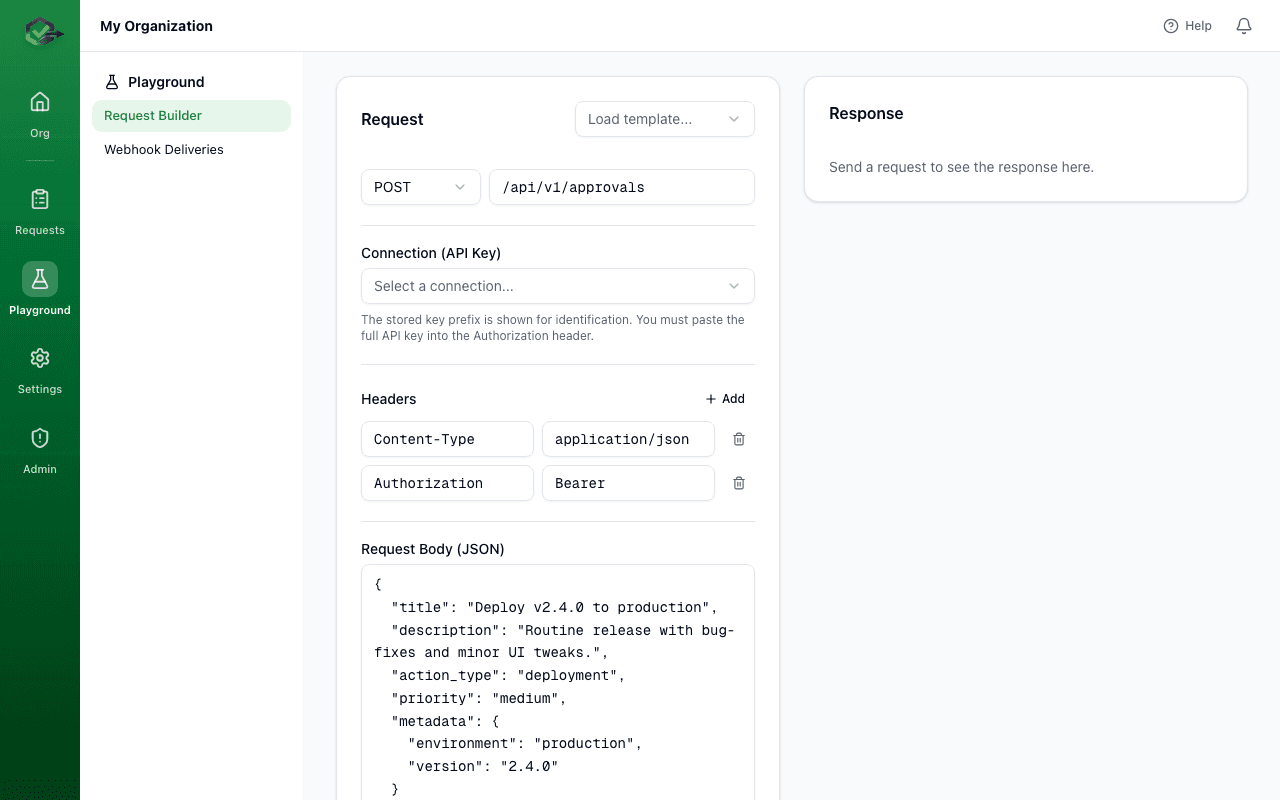
Base URL
https://okrunit.com/api/v1Authentication
OKRunit supports two authentication methods:
API Keys (recommended for server-to-server)
Each connection has an API key with the gk_ prefix followed by 64 hex characters. Pass it as a Bearer token:
Authorization: Bearer gk_a1b2c3d4e5f6...How to get an API key
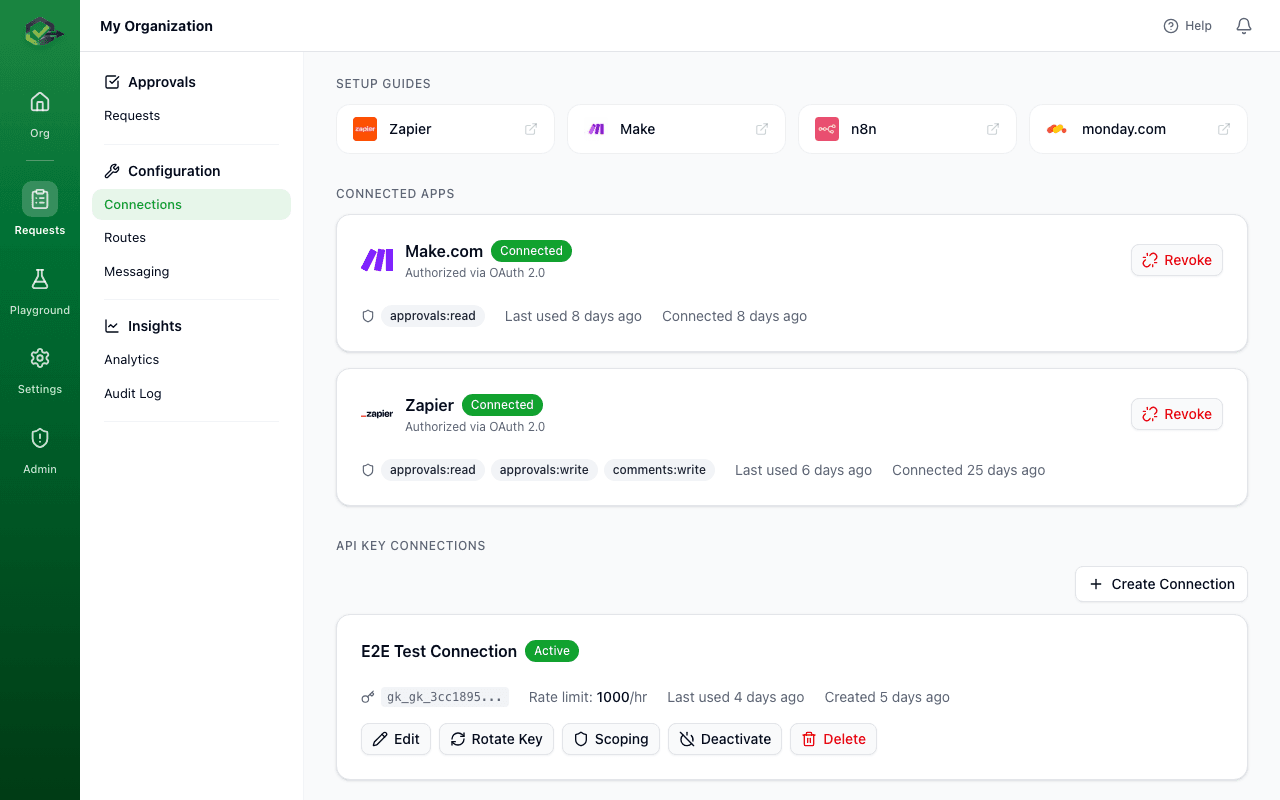
- 1.Go to Connections in the dashboard
- 2.Click New Connection
- 3.Give it a name and save
- 4.Copy the API key immediately — it's SHA-256 hashed before storage and cannot be retrieved again
OAuth 2.0 (with PKCE)
For user-facing integrations (like Zapier, Make, and other platforms that connect on behalf of users), OKRunit supports OAuth 2.0 with PKCE. Available scopes:
approvals:read— Read approval requests and their statusapprovals:write— Create, approve, reject, and cancel approval requestscomments:write— Add comments to approval requests
Rate Limits
API requests are rate-limited per connection. The default limit is 100 requests per hour per connection, configurable up to 10,000/hour depending on your plan. Rate limit headers are included in every response:
X-RateLimit-Limit: 100
X-RateLimit-Remaining: 97
X-RateLimit-Reset: 1711296000
When the limit is exceeded, the API returns HTTP 429 with a Retry-After header.
Response Format
All successful responses return JSON. Error responses follow a consistent structure:
{
  "error": {
    "code": "VALIDATION_ERROR",
    "message": "title is required",
    "details": { ... }
  }
}
Common HTTP status codes:
| Code | Meaning |
|---|---|
| 200 | Success |
| 201 | Created |
| 400 | Validation error |
| 401 | Missing or invalid authentication |
| 403 | Insufficient permissions |
| 404 | Resource not found |
| 409 | Conflict (e.g. duplicate idempotency key) |
| 429 | Rate limit exceeded |
| 503 | Emergency stop is active |
Endpoints
Approval Requests
/api/v1/approvalsCreate a new approval request. The request is immediately visible to approvers and notifications are sent based on your routing configuration.
Request Body
{
  "title": "Delete user account #4821",
  "description": "Permanent deletion requested by user via support ticket",
  "priority": "high",
  "action_type": "user.delete",
  "callback_url": "https://your-app.com/webhooks/okrunit",
  "callback_headers": {
    "X-Custom-Token": "your-secret"
  },
  "metadata": {
    "user_id": "4821",
    "ticket_id": "SUP-1234"
  },
  "expires_at": "2026-03-25T10:00:00.000Z",
  "required_approvals": 2,
  "is_sequential": false,
  "source": "support-bot",
  "idempotency_key": "del-user-4821-20260324"
}
Response
// 201 Created
{
  "id": "a1b2c3d4-e5f6-7890-abcd-ef1234567890",
  "org_id": "org-uuid",
  "connection_id": "conn-uuid",
  "title": "Delete user account #4821",
  "description": "Permanent deletion requested by user via support ticket",
  "status": "pending",
  "priority": "high",
  "action_type": "user.delete",
  "source": "support-bot",
  "required_approvals": 2,
  "current_approvals": 0,
  "is_sequential": false,
  "created_at": "2026-03-24T10:00:00.000Z",
  "expires_at": "2026-03-25T10:00:00.000Z"
}
Request body fields
title required — Short description of what needs approvaldescription required — Detailed context for the approverpriority required — One of: low, medium, high, criticalcallback_headers optional — Custom headers included in the webhook callbackaction_type optional — Custom label for filtering and routing (e.g. "user.delete", "deploy.production")metadata optional — Arbitrary JSON object passed through to the callbackexpires_at optional — ISO 8601 timestamp; auto-expires if no decision by this timerequired_approvals optional — Number of approvals needed (default: 1)is_sequential optional — If true, approvers must approve in order (default: false)source optional — Name of the integration for filtering and analyticsidempotency_key optional — Prevents duplicate requests (see Idempotency below)/api/v1/approvalsList approval requests for your organization. Supports pagination, filtering by status and priority, and text search.
Response
// 200 OK
{
  "data": [
    {
      "id": "a1b2c3d4-...",
      "title": "Delete user account #4821",
      "status": "pending",
      "priority": "high",
      "created_at": "2026-03-24T10:00:00.000Z"
    }
  ],
  "pagination": {
    "page": 1,
    "page_size": 20,
    "total": 42,
    "total_pages": 3
  }
}/api/v1/approvals/:idGet full details for a single approval request, including metadata, comments count, and current approval tally.
Response
// 200 OK
{
  "id": "a1b2c3d4-...",
  "title": "Delete user account #4821",
  "description": "Permanent deletion requested by user via support ticket",
  "status": "pending",
  "priority": "high",
  "action_type": "user.delete",
  "source": "support-bot",
  "metadata": { "user_id": "4821", "ticket_id": "SUP-1234" },
  "required_approvals": 2,
  "current_approvals": 1,
  "is_sequential": false,
  "callback_url": "https://your-app.com/webhooks/okrunit",
  "created_at": "2026-03-24T10:00:00.000Z",
  "expires_at": "2026-03-25T10:00:00.000Z",
  "decided_at": null,
  "decided_by": null
}/api/v1/approvals/:idApprove or reject a pending approval request. The decision is delivered to the callback URL if one was provided. Requires the request to be in 'pending' status.
Request Body
{
  "decision": "approve",
  "comment": "Verified with the user. Proceeding with deletion.",
  "source": "dashboard"
}
Response
// 200 OK
{
  "id": "a1b2c3d4-...",
  "status": "approved",
  "decided_at": "2026-03-24T11:30:00.000Z",
  "decided_by": "user-uuid",
  "callback_delivered": true
}/api/v1/approvals/:idCancel a pending approval request. Only requests in 'pending' status can be cancelled. The callback URL receives a cancellation notification.
Response
// 200 OK
{
  "id": "a1b2c3d4-...",
  "status": "cancelled",
  "cancelled_at": "2026-03-24T11:00:00.000Z"
}
Comments
/api/v1/approvals/:id/commentsAdd a comment to an approval request. Comments are visible to all org members and are included in the audit trail.
Request Body
{
  "body": "Checked the database — this user has no active subscriptions. Safe to proceed."
}
Response
// 201 Created
{
  "id": "comment-uuid",
  "approval_request_id": "a1b2c3d4-...",
  "user_id": "user-uuid",
  "body": "Checked the database — this user has no active subscriptions. Safe to proceed.",
  "created_at": "2026-03-24T10:15:00.000Z"
}
Approval Steps (Multi-Step)
Multi-step approvals allow you to configure sequential or parallel approval chains. Each step can have a different approver. This is useful for workflows that require sign-off from multiple people (e.g. manager then legal).
/api/v1/approvals/:id/stepsGet all approval steps for a request. Steps are returned in order and include their status and assigned approver.
Response
// 200 OK
{
  "data": [
    {
      "id": "step-uuid-1",
      "approval_request_id": "a1b2c3d4-...",
      "step_order": 1,
      "approver_id": "user-uuid-1",
      "status": "approved",
      "decided_at": "2026-03-24T10:30:00.000Z"
    },
    {
      "id": "step-uuid-2",
      "approval_request_id": "a1b2c3d4-...",
      "step_order": 2,
      "approver_id": "user-uuid-2",
      "status": "pending",
      "decided_at": null
    }
  ]
}/api/v1/approvals/:id/stepsConfigure approval steps for a request. This replaces any existing step configuration. Each step specifies an approver and their order in the chain.
Request Body
{
  "steps": [
    { "approver_id": "user-uuid-1", "step_order": 1 },
    { "approver_id": "user-uuid-2", "step_order": 2 }
  ]
}
Response
// 201 Created
{
  "data": [
    {
      "id": "step-uuid-1",
      "step_order": 1,
      "approver_id": "user-uuid-1",
      "status": "pending"
    },
    {
      "id": "step-uuid-2",
      "step_order": 2,
      "approver_id": "user-uuid-2",
      "status": "pending"
    }
  ]
}/api/v1/approvals/:id/steps/:stepIdVote on a specific approval step. The step must be in 'pending' status and the authenticated user must be the assigned approver (or have admin privileges).
Request Body
{
  "decision": "approve",
  "comment": "LGTM"
}
Response
// 200 OK
{
  "id": "step-uuid-1",
  "status": "approved",
  "decided_at": "2026-03-24T10:30:00.000Z",
  "decided_by": "user-uuid-1"
}
Query Parameters
The list approvals endpoint (GET /api/v1/approvals) supports the following query parameters:
| Param | Type | Default | Description |
|---|---|---|---|
| page | integer | 1 | Page number |
| page_size | integer | 20 | Results per page (max 100) |
| status | string | — | Filter by status: pending, approved, rejected, cancelled, expired |
| priority | string | — | Filter by priority: low, medium, high, critical |
| search | string | — | Full-text search on title and description |
Example: filtering requests
# Get all pending high-priority requests
curl "https://okrunit.com/api/v1/approvals?status=pending&priority=high" \
  -H "Authorization: Bearer gk_your_api_key"

# Search requests by keyword
curl "https://okrunit.com/api/v1/approvals?search=deploy+production" \
  -H "Authorization: Bearer gk_your_api_key"

# Paginate through results
curl "https://okrunit.com/api/v1/approvals?page=2&page_size=50" \
  -H "Authorization: Bearer gk_your_api_key"
Idempotency
To prevent duplicate approval requests (e.g. if your automation retries on a timeout), include an idempotency_key in your create request. If a request with the same key already exists within your organization, the API returns the existing request with a 200 status instead of creating a duplicate.
curl -X POST https://okrunit.com/api/v1/approvals \
  -H "Authorization: Bearer gk_your_api_key" \
  -H "Content-Type: application/json" \
  -d '{
    "title": "Deploy v2.4.0",
    "description": "Production release",
    "priority": "high",
    "idempotency_key": "deploy-v2.4.0-20260324"
  }'

# If you send the exact same request again with the same key,
# you'll get back the existing request (200) instead of a new one (201)
Code examples
Node.js / TypeScript
const response = await fetch("https://okrunit.com/api/v1/approvals", {
  method: "POST",
  headers: {
    Authorization: "Bearer gk_your_api_key",
    "Content-Type": "application/json",
  },
  body: JSON.stringify({
    title: "Deploy v2.4.0 to production",
    description: "Release includes database migration",
    priority: "high",
    callback_url: "https://your-app.com/webhooks/okrunit",
  }),
});

const approval = await response.json();
console.log(approval.id, approval.status); // "a1b2c3d4-..." "pending"
Python
import requests

response = requests.post(
    "https://okrunit.com/api/v1/approvals",
    headers={"Authorization": "Bearer gk_your_api_key"},
    json={
        "title": "Deploy v2.4.0 to production",
        "description": "Release includes database migration",
        "priority": "high",
        "callback_url": "https://your-app.com/webhooks/okrunit",
    },
)

approval = response.json()
print(approval["id"], approval["status"])  # "a1b2c3d4-..." "pending"